Join the group !
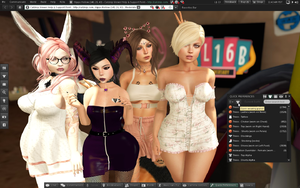
I would like to remind everyone to join the in world Catznip Group (In the Catznip viewer, Help > Catznip Support Group). It’s your first point of call for help and support with the viewer and to a lesser extent the usual SL questions and answers. If you don’t need help then maybe you can support someone who does.
Catznip R7 is in progress, we’ve been a bit bogged down with RL recently but things are picking back up now, going to take our time with this one and build on the success and stability of R6. A huge thank you to everyone who has gotten in touch, contributed bug reports, feature ideas and recommended the viewer to friends.
Our in-world HQ is almost finished, for any intrepid explorers who want a sneak peek, find a stargate and ‘/d catznip’.
RLVa SharedWear
Since Catznip R5, SharedWear has been enabled in RLVa by default. This feature is now live in other TPVs that use RLVa such as Firestorm, NaCI and Niran’s.
Viewer 1 TPVs (Phoenix & Singularity) have SharedWear disabled by default as does Exodus which is using an older RLVa. Imprudence is too old to be affected.
What is SharedWear?
As part of the RLV specification, you have always been able to expose a specific folder in your inventory to scripts, the primary purpose of the #RLV folder is to allow scripts to attach objects to your avatar without requiring you to manually locate and wear the item yourself.
Historically, the #RLV folder has suffered a technical limitation. The viewer simply did not know where objects were to be attached. As a work around you have always been required to place objects in attachment point named sub folders.
For a long time RLVa would attempt to make this process easy for you by making the folders automatically the first time you wore an item. A work around the work around so to speak.

SharedWear is an RLVa feature that corrects the original problem. You simply no longer need attachment point named folders cluttering up your #RLV folder or item names. Any existing attachment point references will still be honored so nothing breaks.
RLVa doesn’t automatically make attachment point folder with SharedWear as they are no longer required.
If wish to enable this feature in Phoenix & Singularity or have problems and wish to revert the original RLVa behaviour, check or uncheck the top menu ’RLVa > Debug > Enable Shared Wear’.
Any issues relating this feature should be posted on our Issue Tracker. Download Catznip R6 to try out SharedWear!
Catznip R6 – Most Stable Viewer!
Catznip R6 just claimed the top spot in the official TPV directory in its first qualifying week (over 200,000 user minutes). The ranking is based on crash statistics submitted to Linden Lab and officially makes ours the most stable SL client.
The viewer directory is refreshed weekly so while we can’t guarantee to stay at the top, remaining one of the most stable SL viewers is something we take personally. Crashes suck. Anyway, we’re dancing about on cloud 9 right now. If you haven’t already update to R6!
Catznip R6 & Direct Delivery
Catznip R6 should have no problems when direct delivery gets rolled out. There are some minor UI differences between what’s in R6 and the stock Second Life client but nothing worth getting worried about. If you haven’t already update to R6!
Direct delivery adds an inbox for all purchases from the Second Life Marketplace and should significantly improve your shopping fun. We are playing with some ideas to make it even better for Catznip users and would really welcome your input once it’s live.
Just to add, we now have a Twitter and Facebook presence, follow, like and stuff!